
CHALLENGE
A printed code should not be stuck.
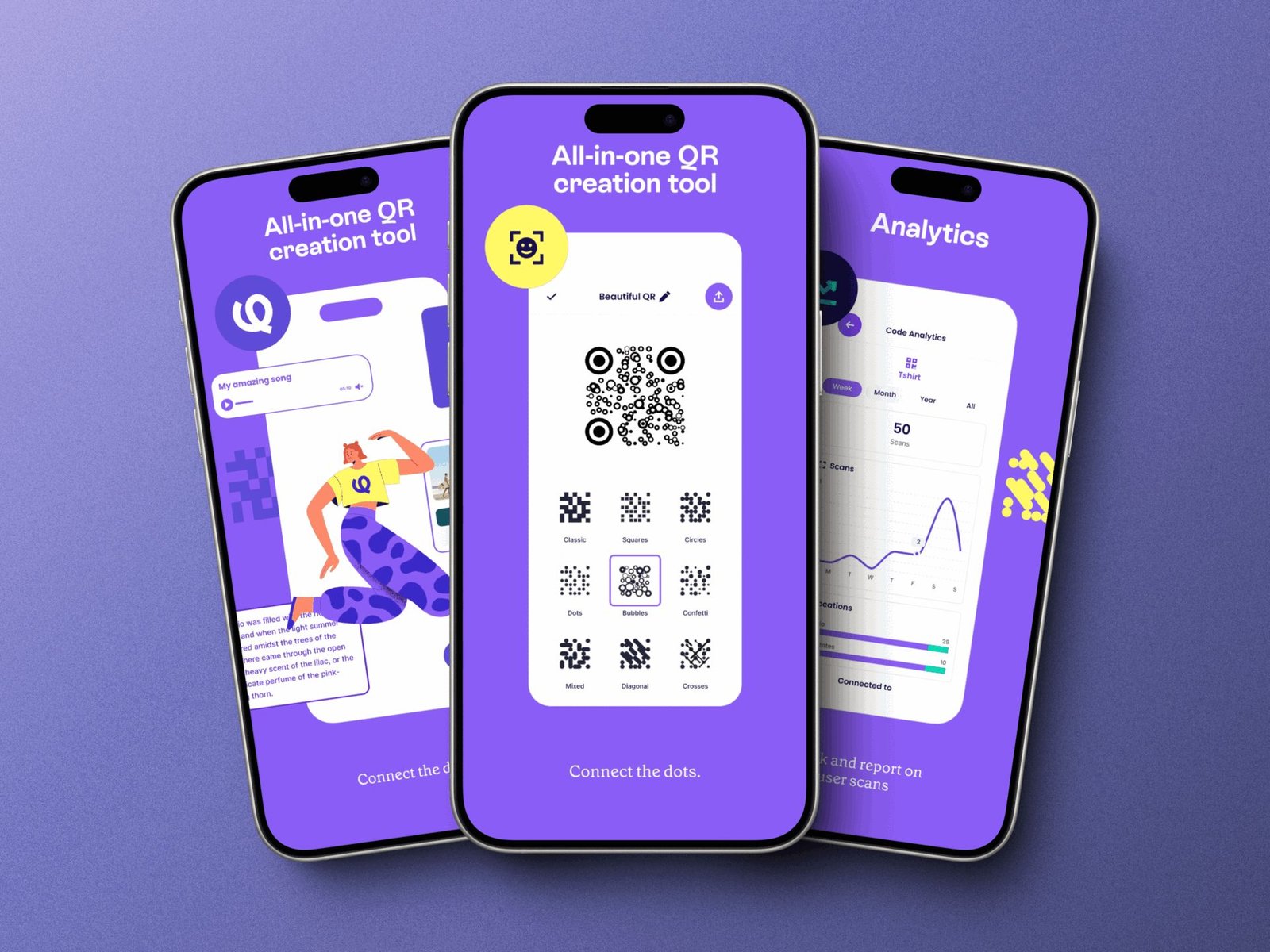
A printed QR code goes stale the moment the menu, the song, or the product page changes. The poster still points at the old place. Styled codes have a second problem: they can look finished and still fail to scan. People needed one app that creates the code, keeps the destination editable, and exports a file a printer can use.
SOLUTION
One app for both stores, and a code that can change.
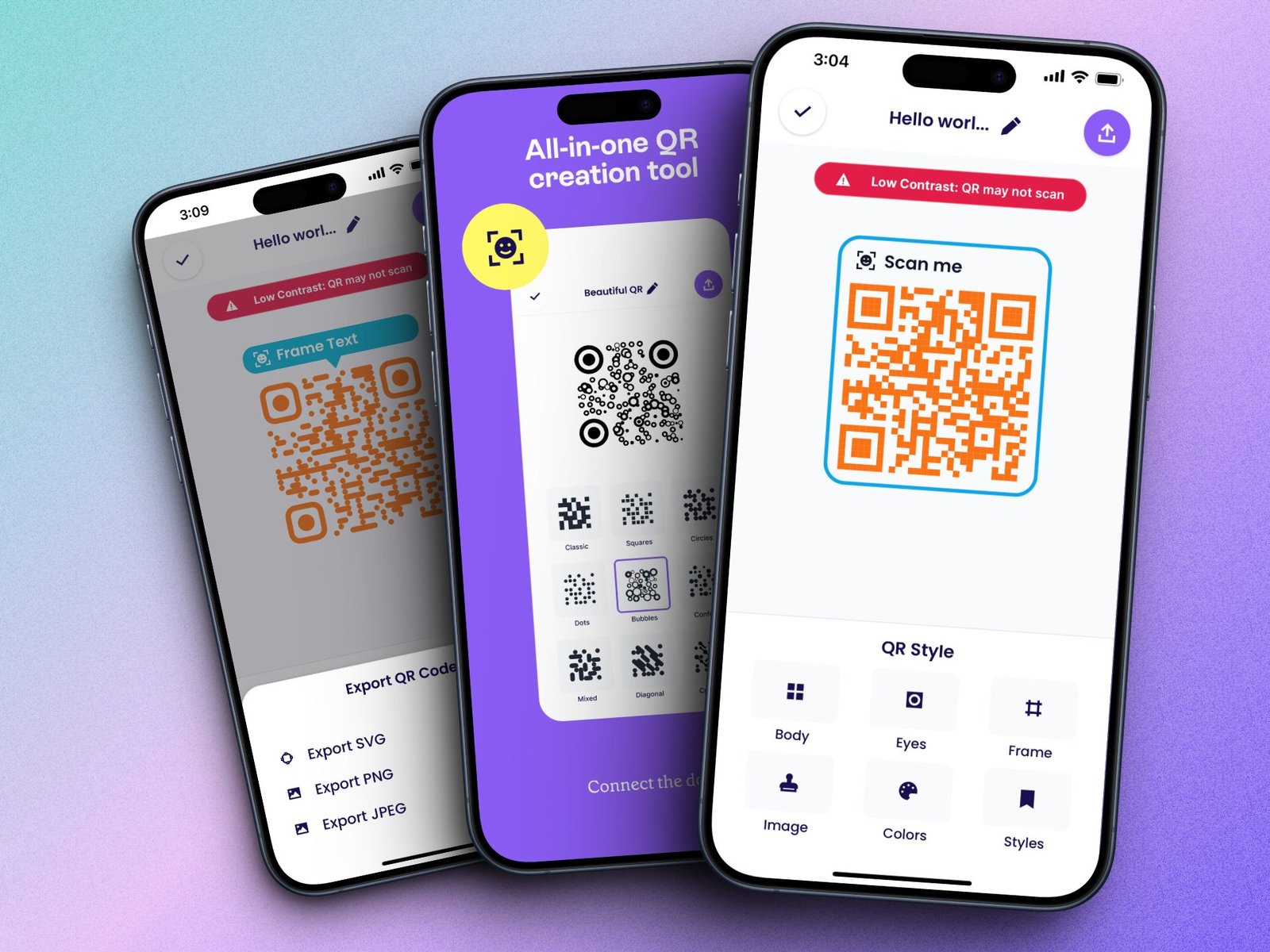
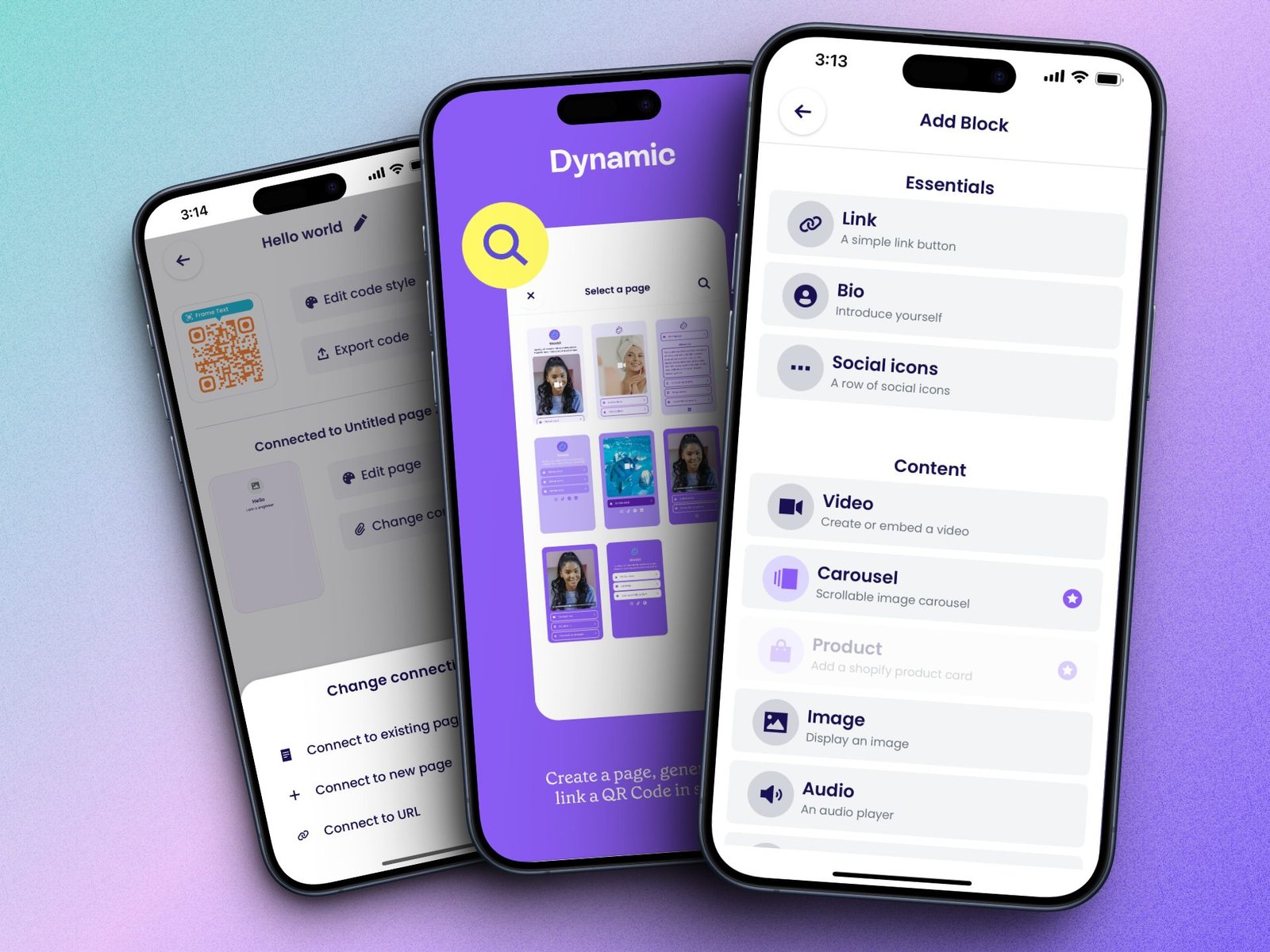
Qubio is a React Native app for Android and iOS. It generates dynamic QR codes, so the printed mark stays put while the content behind it changes. People style the body, eyes, frame, and colors, drop in an image, and see a warning when contrast is too low to scan. Export is SVG, PNG, or JPEG. A code can open a page built in the app — a link, a bio, social icons, video, a carousel, images, audio, or a Shopify product — and analytics record the scans. The same product shipped on Google Play and the App Store.
FEATURES
What people do in the app.
Dynamic codes
Update what a code opens after it has already been printed or shared.
Custom styles
Body, eyes, frame, colors, and an image, with patterns from classic squares to dots and bubbles.
Contrast check
A warning when the design is too light or too close in color to scan reliably.
Print-ready export
SVG, PNG, and JPEG downloads from the same code.
Pages behind the code
Link, bio, social icons, video, carousel, image, and audio blocks on a page the code opens.
Shopify products
A product card so a code can point at something for sale.
Scan analytics
A record of scans over time, tied back to the code.
Both app stores
One React Native app, shipped on Google Play and the App Store.
WHAT MAKES THIS DIFFERENT
Style, a reliable scan, and a destination that stays editable.
The code is not a dead end. Dynamic links let a campaign change without a reprint. The contrast check sits in the editor, so a styled code is still a code that scans. One React Native codebase keeps Android and iOS on the same product, from the style tools through to scan analytics.
HOW IT WORKS
From a blank code to a scan you can measure.
01
Design the code
Choose a pattern, frame, colors, and image. A low-contrast warning appears before the code is exported.
02
Point it somewhere
Connect an existing page, a new page, or a URL. Pages can hold links, a bio, media, and Shopify products.
03
Export and print
Download SVG, PNG, or JPEG and put the code on the thing people will scan.
04
Update and measure
Change the destination later and read scan analytics without touching the printed code.
RESULTS
On both stores, between a print and a live link.
Qubio launched on Google Play and the App Store from a single React Native codebase. People generate and manage codes, restyle them, export print-ready files, and change what a code opens after it is already in the world. Analytics close the loop with a record of scans.